
English
PlantUML




PlantUML diagram plugin, supporting PlantUML chart rendering in Markdown.
Installation
sh
pnpm add vitepress-plugin-plantumlsh
npm install vitepress-plugin-plantumlsh
bun add vitepress-plugin-plantumlsh
deno add vitepress-plugin-plantumlsh
yarn add vitepress-plugin-plantumlUsage
vitepress-tuck Mode Recommended
ts
import { defineConfig } from 'vitepress-tuck'
import plantuml from 'vitepress-plugin-plantuml'

export default defineConfig({
  plugins: [
    plantuml(),
  ],
})
Learn more about vitepress-tuck
Native Mode
ts
import { defineConfig } from 'vitepress'
import { plantumlMarkdownPlugin, plantumlVitePlugin } from 'vitepress-plugin-plantuml'

export default defineConfig({
  vite: {
    plugins: [plantumlVitePlugin()],
  },
  markdown: {
    config: (md) => {
      md.use(plantumlMarkdownPlugin)
    },
    languageAlias: { plantuml: 'txt' },
  },
})ts
import type { Theme } from 'vitepress'
import { enhanceAppWithPlantuml } from 'vitepress-plugin-plantuml/client'
import DefaultTheme from 'vitepress/theme'

export default {
  extends: DefaultTheme,
  enhanceApp(ctx) {
    enhanceAppWithPlantuml(ctx)
  },
} satisfies Theme
Syntax
Use code blocks with the plantuml language tag:
md
```plantuml
@startuml
Alice -> Bob: Authentication Request
Bob --> Alice: Authentication Response
@enduml
```
Output Format
The plugin supports svg (default) and png output formats. You can specify the format per diagram:
md
```plantuml png
@startuml
class Example {
  +attribute: string
  +method(): void
}
@enduml
```
Or set a global default:
ts
plantuml({ format: 'png' }) // default is 'svg'Configuration
PlantumlPluginOptions
ts
interface PlantumlPluginOptions {
  /**
   * Output format, 'svg' | 'png'
   * @default 'svg'
   */
  format?: PlantumlFormat

  /**
   * PlantUML server URL
   * @default 'https://www.plantuml.com/plantuml'
   */
  serverURL?: string
}
Features
- Dark / Light mode — Automatically generates both dark and light diagram variants, following the VitePress theme
- Chart / Source tabs — Toggle between the rendered diagram and its PlantUML source code
- Fullscreen mode — Click the fullscreen button to view the diagram in an overlay
- Download — Download the current diagram as an image file
- Multi-language — Built-in support for English, Chinese, Japanese, Korean, Spanish, French, Russian, German, and Portuguese
- SVG optimization — SVGs are automatically optimized via SVGO, removing redundant styles and background layers
- Build caching — Rendered diagrams are cached to disk for faster incremental builds
Built-in Languages
The plugin includes built-in support for the following languages:
- English (en, en-US)
- 简体中文 (zh, zh-CN)
- 日本語 (ja)
- 한국어 (ko)
- Español (es)
- Français (fr)
- Русский (ru)
- Deutsch (de)
- Português (pt)
Examples
Sequence Diagram


NaN%
Use Case Diagram
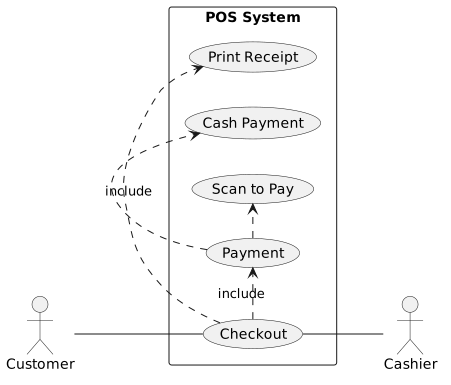
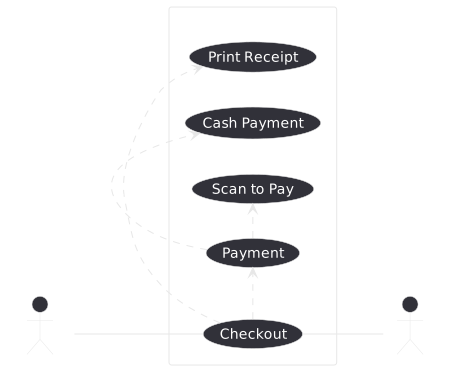
NaN%
Class Diagram
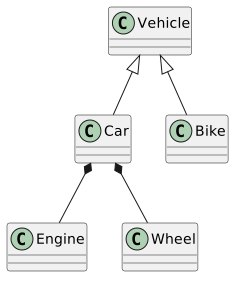
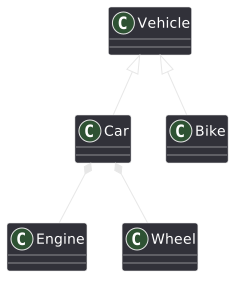
NaN%
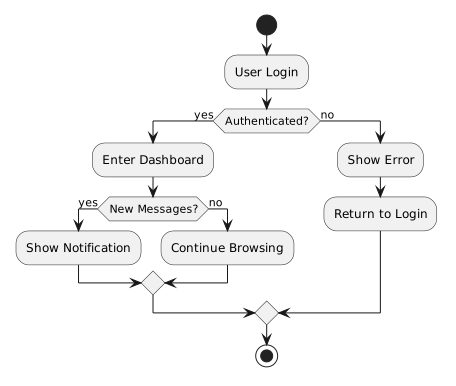
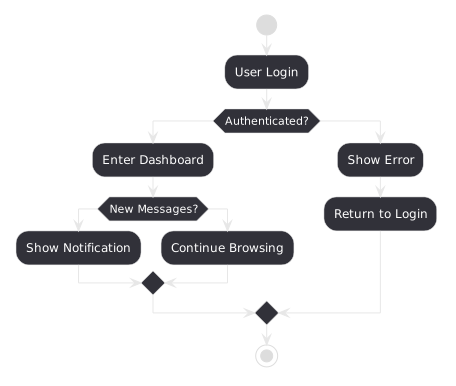
Activity Diagram
NaN%